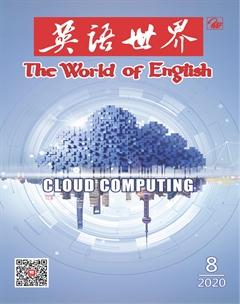
什么是云計算?
2020-08-28 11:33:20葛嬌嬌
英語世界 2020年8期
關鍵詞:服務
葛嬌嬌
Simply put, cloud computing is the delivery of computing services—including servers, storage, databases, networking, software, analytics, and intelligence—over the Internet (“the cloud”) to offer faster innovation, flexible resources, and economies of scale. You typically pay only for cloud services you use, helping lower your operating costs, run your infrastructure more efficiently and scale1 as your business needs change.
Top benefits of cloud computing
Cloud computing is a big shift from the traditional way businesses think about IT resources. Here are seven common reasons organisations are turning to cloud computing services:
Cost
Cloud computing eliminates the capital expense of buying hardware and software and setting up and running on-site2 datacenters—the racks of servers, the round-the-clock electricity for power and cooling, the IT experts for managing the infrastructure. It adds up fast.
Speed
Most cloud computing services are provided self service and on demand, so even vast amounts of computing resources can be provisioned in minutes, typically with just a few mouse clicks, giving businesses a lot of flexibility and taking the pressure off capacity planning.
Global scale
The benefits of cloud computing services include the ability to scale elastically. In cloud speak3, that means delivering the right amount of IT resources—for example, more or less computing power, storage, bandwidth—right when it is needed and from the right geographic location.
Productivity
On-site datacenters typically require a lot of “racking and stacking4”— hardware setup, software patching, and other time-consuming IT management chores. Cloud computing removes the need for many of these tasks, so IT teams can spend time on achieving more important business goals.
Performance
The biggest cloud computing services run on a worldwide network of secure datacenters, which are regularly upgraded to the latest generation of fast and efficient computing hardware. This offers several benefits over a single corporate datacenter, including reduced network latency for applications and greater economies of scale.
Reliability
Cloud computing makes data backup, disaster recovery and business continuity easier and less expensive because data can be mirrored5 at multiple redundant sites on the cloud providers network.
Security
Many cloud providers offer a broad set of policies, technologies and controls that strengthen your security posture overall, helping protect your data, apps and infrastructure from potential threats.
Types of cloud computing
There are three different ways to deploy cloud services: on a public cloud, private cloud or hybrid cloud.
Public cloud
Public clouds are owned and operated by a third-party cloud service providers, which deliver their computing resources like servers and storage over the Internet. Microsoft Azure6 is an example of a public cloud. With a public cloud, all hardware, software and other supporting infrastructure is owned and managed by the cloud provider. You access these services and manage your account using a web browser.
Private cloud
A private cloud refers to cloud computing resources used exclusively by a single business or organisation. A private cloud can be physically located on the companys on-site datacenter. Some companies also pay third-party service providers to host their private cloud. A private cloud is one in which the services and infrastructure are maintained on a private network.
Hybrid cloud
Hybrid clouds combine public and private clouds, bound together by technology that allows data and applications to be shared between them. By allowing data and applications to move between private and public clouds, a hybrid cloud gives your business greater flexibility, more deployment options and helps optimise your existing infrastructure, security and compliance.
Types of cloud services: IaaS, PaaS, serverless and SaaS
Most cloud computing services fall into four broad categories: infrastructure as a service (IaaS), platform as a service (PaaS), serverless and software as a service (SaaS). These are sometimes called the cloud computing stack because they build on top of one another.
Infrastructure as a service (IaaS)
This is the most basic category of cloud computing services. With IaaS, you rent IT infrastructure—servers and virtual machines (VMs), storage, networks, operating systems—from a cloud provider on a pay-as-you-go basis.
Platform as a service (PaaS)
Platform as a service refers to cloud computing services that supply an on-demand environment for developing, testing, delivering and managing software applications. PaaS is designed to make it easier for developers to quickly create web or mobile apps, without worrying about setting up or managing the underlying infrastructure of servers, storage, network and databases needed for development.
Serverless computing
Overlapping with PaaS, serverless computing focuses on building app functionality without spending time continually managing the servers and infrastructure required to do so. The cloud provider handles the setup, capacity planning and server management for you. Serverless architectures are highly scalable and event-driven, only using resources when a specific function or trigger occurs.
Software as a service (SaaS)
Software as a service is a method for delivering software applications over the Internet, on demand and typically on a subscription basis. With SaaS, cloud providers host and manage the software application and underlying infrastructure and handle any maintenance, like software upgrades and security patching. Users connect to the application over the Internet, usually with a web browser on their phone, tablet or PC.
Uses of cloud computing
The first cloud computing services are barely a decade old, but already a variety of organisations—from tiny startups to global corporations, government agencies to non-profits—are embracing the technology for all sorts of reasons.
Here are a few examples of what is possible today with cloud services from a cloud provider:
Create cloud-native7 applications
Quickly build, deploy and scale applications—web, mobile and API8. Take advantage of cloud-native technologies and approaches, such as containers, Kubernetes9, microservices architecture, API-driven communication and DevOps10.
Test and build applications
Reduce application development cost and time by using cloud infrastructures that can easily be scaled up or down.
Store, back up and recover data
Protect your data more cost-efficiently—and at massive scale—by transferring your data over the Internet to an offsite cloud storage system that is accessible from any location and any device.
Analyse data
Unify your data across teams, divisions and locations in the cloud. Then use cloud services, such as machine learning and artificial intelligence, to uncover insights for more informed decisions.
Stream11 audio and video
Connect with your audience anywhere, anytime, on any device with high-definition video and audio with global distribution.
Embed intelligence
Use intelligent models to help engage customers and provide valuable insights from the data captured.
Deliver software on demand
Also known as software as a service (SaaS), on-demand software lets you offer the latest software versions and updates around to customers—anytime they need, anywhere they are.
簡單來說,云計算就是通過因特網(“云”)提供計算服務——包括服務器、存儲功能、數據庫、聯網、軟件、分析功能和智能功能——以加快創新、使資源配置更靈活,實現規模經濟。通常你只需為自己所使用的云服務付費,這有助于降低運營成本,更高效地運行基礎設施,并根據業務需求的變化作出調整。
云計算的好處
云計算不同于企業對IT資源的傳統認知,它是一項重大變革。以下是各機構選擇云計算服務的七個常見理由。
成本
云計算免除了用以購買硬件和軟件以及構建并運行本地數據中心的資本支出,包括服務器機架、機器運行和冷卻需要的全天候供電,還有維護基礎設施的IT專業人員——這些費用增長很快。
速度
大多數云計算服務都可自助按需提供,通常只要點幾下鼠標,即便是海量計算資源也能在幾分鐘之內配置好,這給了企業極大的靈活性,也減輕了容量規劃的壓力。
全球范圍
云計算服務的其中一個好處就是彈性縮放的能力。用云術語來講,這意味著在剛好需要的時候,從合適的地理位置交付恰當數量的IT資源,例如,更多或更少的計算能力、存儲空間和帶寬。
生產率
本地數據中心通常需要做許多與“機架和堆棧”相關的工作,包括設置硬件、給軟件打補丁,以及其他耗時的日常IT管理事務。云計算省去了對其中很多工作的需求,因此IT團隊可以有時間實現更重要的商業目標。
性能
最大的云計算服務都在各安全數據中心所組成的全球網絡上運行,這些數據中心定期升級為最新一代快速高效的計算硬件。相比單個企業數據中心,這有幾點好處,包括減少應用程序的網絡延遲和擴大規模經濟效應。
可靠性
云計算使得數據備份、災難恢復和保持業務連續性更容易,費用更低,因為數據可做成鏡像保存在云提供商網絡的多個冗余站點上。
安全性
很多云提供商提供各種政策、技術和控制工具,全面加強你的安全態勢,有助于保護你的數據、應用程序和基礎設施免遭潛在威脅。
云計算的種類
云服務有三種不同的使用方式:公有云、私有云或混合云。
公有云
公有云由第三方云服務提供商所有和運營,云服務提供商通過因特網提供他們的計算資源,如服務器和存儲功能。微軟的Azure就是公有云的一個例子。在公有云中,所有的硬件、軟件和其他支持性基礎設施均由云提供商所有和管理。你可以用網頁瀏覽器來獲得這些服務并管理你的賬戶。
私有云
私有云是指專供單個企業或機構使用的云計算資源。私有云可實際位于公司的本地數據中心內。有些公司也會雇請第三方服務提供商托管他們的私有云。私有云是在專用網絡上維護服務和基礎設施的云。
混合云
混合云結合了公有云和私有云的特點,通過共享數據和應用程序的技術將兩者連接在一起。通過允許數據和應用程序在私有云和公有云之間移動,混合云可以為企業提供更大的靈活性和更多的部署策略,幫助優化企業現存的基礎設施、安全性和兼容性。
云服務的類型:基礎設施即服務,平臺即服務,無服務器,軟件即服務
大多數云計算服務可以分成四大類:基礎設施即服務,平臺即服務,無服務器和軟件即服務。這些服務有時會被稱為云計算堆棧,因為它們是逐層建構的。
基礎設施即服務
這是云計算服務中最基礎的類型。使用基礎設施即服務時,你以即用即付的方式從云提供商處租用IT基礎設施,包括服務器和虛擬機、存儲空間、網絡、操作系統。
平臺即服務
平臺即服務指的是按需提供環境用于開發、測試、交付和管理軟件應用的云計算服務。平臺即服務旨在讓開發者更輕松地快速構建網頁端或移動端應用程序,而無須操心設置或管理開發所需的服務器、存儲功能、網絡和數據庫等基礎設施。
無服務器計算
無服務器計算與平臺即服務有所重合,專注于構建應用程序的功能,無須在持續管理必要的服務器和基礎設施上花費時間。云提供商為你處理設置、容量規劃和服務器管理事宜。無服務器架構可伸縮性強,而且由事件驅動,只有在特定函數或觸發器發生時才會使用資源。
軟件即服務
軟件即服務是指通常以訂閱方式經由因特網按需交付軟件應用程序的方式。使用軟件即服務時,云提供商托管軟件應用程序和基礎設施并負責所有維護工作,如升級軟件、打安全補丁。用戶通常用手機、平板電腦或個人電腦上的網頁瀏覽器通過因特網連接到應用程序。
云計算的用途
距第一批云計算服務問世還不到十年,但已有各種機構——從小型初創企業到跨國公司,從政府機構到非盈利機構——因各種原因采用云計算技術。
以下是目前云提供商所能提供的云服務的一些實例:
構建云原生應用程序
快速構建、部署和縮放應用程序,包括網頁端、移動端和應用程序編程接口。利用云原生技術和方法,比如容器、Kubernetes、微服務架構、API驅動的通信和DevOps。
測試和構建應用程序
通過使用可輕松升降級的云基礎設施來縮減應用程序的開發成本和時間。
存儲、備份和數據恢復
通過將數據由因特網傳送到從任何位置、任何設備都可訪問的場外云存儲系統中,以超大規模和更具成本效益的方式保護數據。
分析數據
統一云中各團隊、各部門、各地區的數據。然后用云服務(例如機器學習和人工智能)發掘洞見以做出更有根據的決定。
在線播放音頻和視頻
用遍布全球的高清視頻和音頻在任何地點、任何時間、任何設備上與受眾進行聯系。
內嵌智能
用智能模式來吸引客戶,利用捕獲的數據提供有價值的見解。
按需提供軟件
按需軟件也被稱為軟件即服務,可以讓你向客戶提供最新的軟件版本和更新——無論他們身在何處,何時需要。
(譯者為“《英語世界》杯”翻譯大賽獲獎者)
猜你喜歡
杭州金融研修學院學報(2022年5期)2022-06-15 11:41:48
今日農業(2019年14期)2019-09-18 01:21:54
今日農業(2019年12期)2019-08-15 00:56:32
今日農業(2019年11期)2019-08-13 00:49:08
今日農業(2019年13期)2019-08-12 07:59:04
今日農業(2019年10期)2019-01-04 04:28:15
今日農業(2019年15期)2019-01-03 12:11:33
今日農業(2019年16期)2019-01-03 11:39:20
銅仁學院學報(2018年4期)2018-06-13 03:21:34
商周刊(2017年9期)2017-08-22 02:57:56